iCal Calendar Sync
Airbnb calendar sync, one source of truth
Paste an iCal link once to sync your Airbnb and Vrbo calendars with Booking.com, Stayz and your own direct booking site. When a date sells anywhere, it blocks everywhere, so you never explain a double booking to a guest again.
Supports all major booking platforms




- No FeesDirect bookings go straight to your own Stripe account
- Unified calendarSee all your bookings and track cleaning tasks in one place
- UnlimitedConnect as many calendars to your listings as you want
What makes Hostibly iCal sync different
Most tools import a feed and stop there. Hostibly treats your calendar as the operational core of the business. Bookings, cleaning tasks and payments all hang off it.
Speaks iCal with
Imports and exports, in both directions
Hostibly pulls the iCal feed from each channel and publishes its own feed back out. Your direct bookings block dates on Airbnb and Booking.com automatically, instead of sitting in a silo.
Every property in one calendar
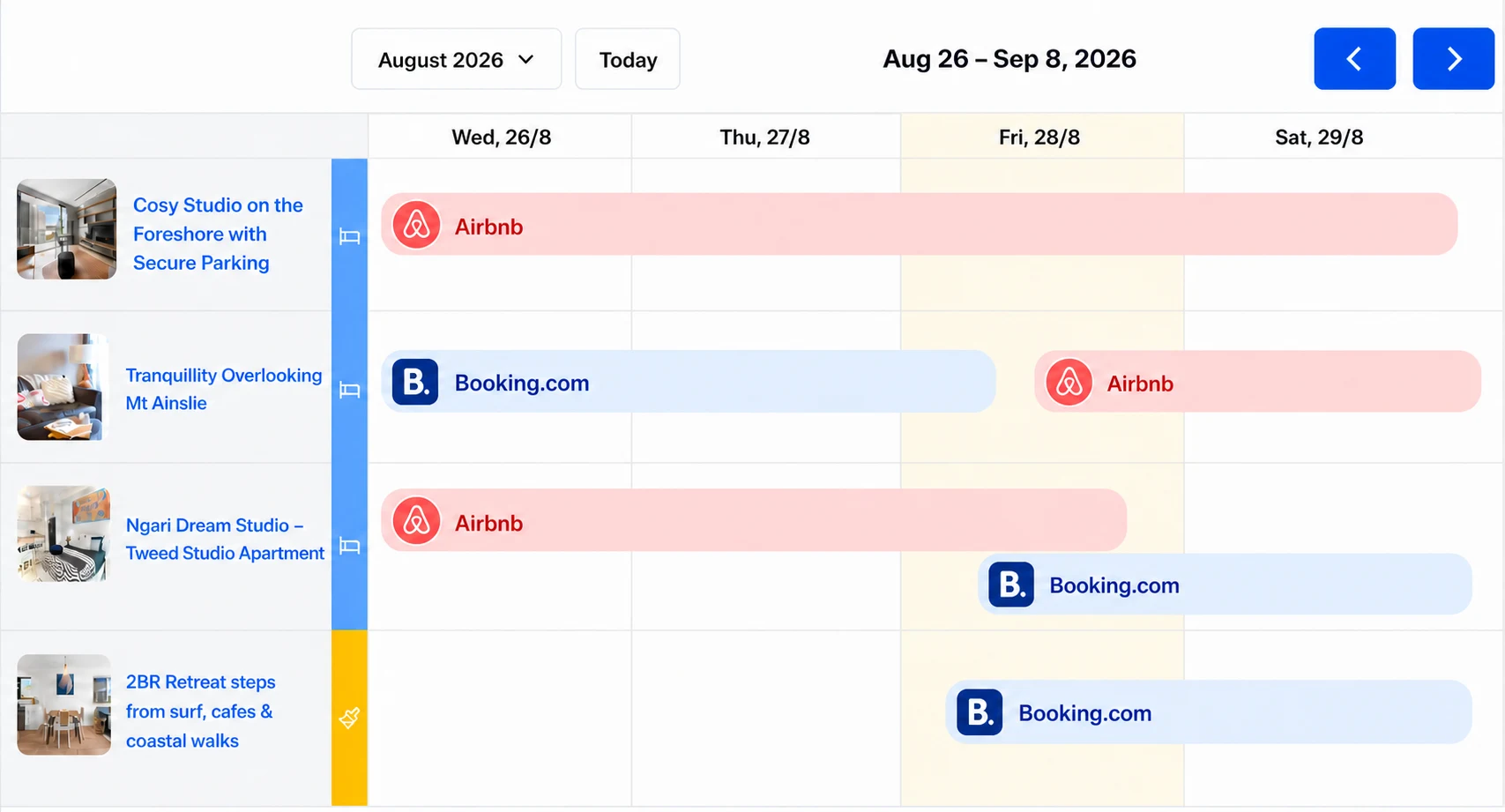
Run 2 listings or 40. The unified calendar shows all properties side by side and colour-codes each stay by the channel it came from, so you can see the month at a glance.
Bookings trigger the rest of your operation
A synced booking blocks the date and starts the work: it can create the cleaning task, assign the team member, send the confirmation email and issue the tax invoice.
Works with anything that speaks iCal
Beyond the big OTAs, Hostibly accepts any valid iCal URL: niche listing sites, a spreadsheet export, Google Calendar or your own owner block-outs.
Connected in about ten minutes
No developer, no API keys, no migration project. If you can copy a link, you can set this up.
- 1
Copy your iCal links
Grab the calendar export URL from each channel: Airbnb, Booking.com, Vrbo, Stayz or anywhere else you list. Every OTA exposes one in its calendar settings.
airbnb.com/calendar/ical/R4N…AQ9.ics?s=… - 2
Paste them into the listing
Add each link to the matching Hostibly listing. The first import runs immediately and backfills your existing reservations, so the calendar is accurate from minute one.
- Booking.com · The Loft
- Vrbo · Beach House
- Stayz · City Apt
- 3
Publish Hostibly's feed back out
Copy the outbound iCal link Hostibly generates and paste it into each channel. That closes the loop, so direct bookings and owner blocks flow back to the OTAs.
HostiblyAirbnbBooking.com
Hosts who stopped juggling calendars
Hostibly has made running my business a lot easier. The cleaner scheduling especially saves me a ton of time. Direct bookings have also helped me keep more repeat customers. It's nice not losing money to fees.
Daniel KingmaSuper HostWe've booked over $50k directly through our website in eight months with Hostibly. Unsurprisingly, local businesses love booking directly because our prices are better, and we offer discounts for longer stays.
BrandonProperty Manager and CohostI was a bit skeptical at first, but the setup service from Hostibly really delivered. All 14 listings were live in less than a month, and now my site genuinely reflects my brand and style.
Amy MorrisCohost
Frequently asked questions
Need help? Contact us here
- What is an iCal sync and how does it work?
- iCal (.ics) is the standard calendar format every major booking platform supports. Each channel publishes a private URL containing your booked dates. Hostibly subscribes to those URLs, imports the reservations into your unified calendar, and publishes its own URL back out that the channels subscribe to in turn. That two-way loop is what keeps availability consistent everywhere.
- Where do I find my Airbnb iCal link?
- In Airbnb, open Calendar, pick the listing, then go to Availability and choose Connect calendars. Select Connect to another website and Airbnb shows the iCal link for that listing. Copy it into the matching Hostibly listing, then paste the Hostibly link from the same screen back into Airbnb to import your other bookings.
- Does iCal sync stop double bookings completely?
- It removes almost all of them, but no iCal-based system can be truly instant in both directions, because the OTAs control how often they pull your feed. The small residual risk is two guests booking the same dates on two different platforms within the same refresh window. Hostibly narrows that window as far as the channels allow, and flags any overlapping stay it receives so you can act on it straight away rather than finding out from a guest.
- Which platforms can I connect?
- Airbnb, Booking.com, Vrbo, Stayz, Expedia, Tripadvisor and any other site that exposes an iCal export. You can also connect Google Calendar or a personal calendar to block owner stays and maintenance windows.
- Is there a limit on how many calendars or properties I can sync?
- There is no limit on the number of iCal links per listing: connect as many channels as you list on. The number of listings included depends on your plan; see the pricing page for the current breakdown across Solo, Team and Enterprise.
- Does the sync carry guest details, or only the dates?
- iCal feeds from the OTAs carry the blocked dates and a reservation reference, and some channels include a partial guest name. Full guest contact details stay inside the channel, which is one of the reasons direct bookings are worth building. For those, you own the guest relationship and the complete customer record.
- What happens to bookings I already have when I connect?
- The first import backfills every future reservation in the feed, so your calendar reflects reality immediately. Nothing is sent to your guests and nothing changes on the channel side during setup.
- Do I need Hostibly's booking website to use the calendar sync?
- No. Plenty of hosts start with sync and the unified calendar alone to get their channels under control. The direct booking widget, invoicing and team task features are there when you are ready for them, on the same plan.
Get every calendar in sync today.
Start your 14 day free trial of the Team plan. No card required, and your first sync runs in minutes.